
Download Google Docs Uploader – Desktop Document Management, Google Drive Integration, Productivity Tool
Overview
Google Docs Uploader is a desktop utility designed to simplify the process of managing documents within Google Docs and Google Drive. The application enables users to upload, organize, and delete files directly from their computer, eliminating the need to navigate through web browsers. This tool is particularly valuable for professionals, students, and remote workers who rely on cloud-based document storage for collaboration and accessibility. By streamlining the upload workflow, it reduces time spent on repetitive tasks and enhances overall productivity.
The app’s primary function is to serve as a bridge between local file systems and Google’s cloud ecosystem. Users can transfer documents from their desktop to Google Docs with minimal effort, supporting a variety of file formats such as Word, PDF, and plain text. This ensures compatibility across different workflows and content types. The integration with Google Drive allows instant synchronization, meaning documents become accessible from any device with internet access, promoting seamless cross-platform collaboration.
Although the developer did not provide additional technical details about the application’s background or development history, its long-standing presence since 2008 suggests reliability and sustained functionality. The tool has remained relevant in the digital workspace ecosystem by offering a lightweight, focused solution for document handling. For individuals managing large volumes of files or teams requiring consistent cloud access, Google Docs Uploader provides a practical, efficient alternative to manual web uploads.
Key Features & Functionality
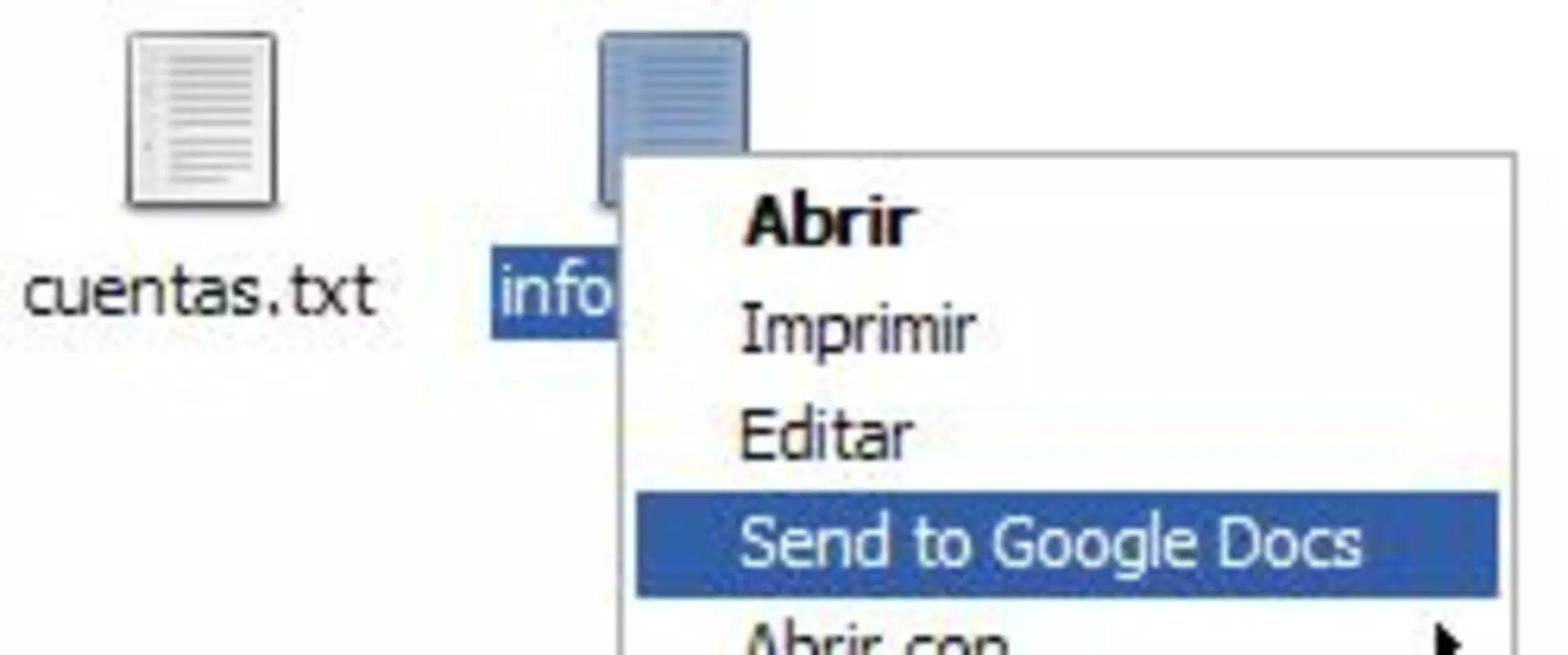
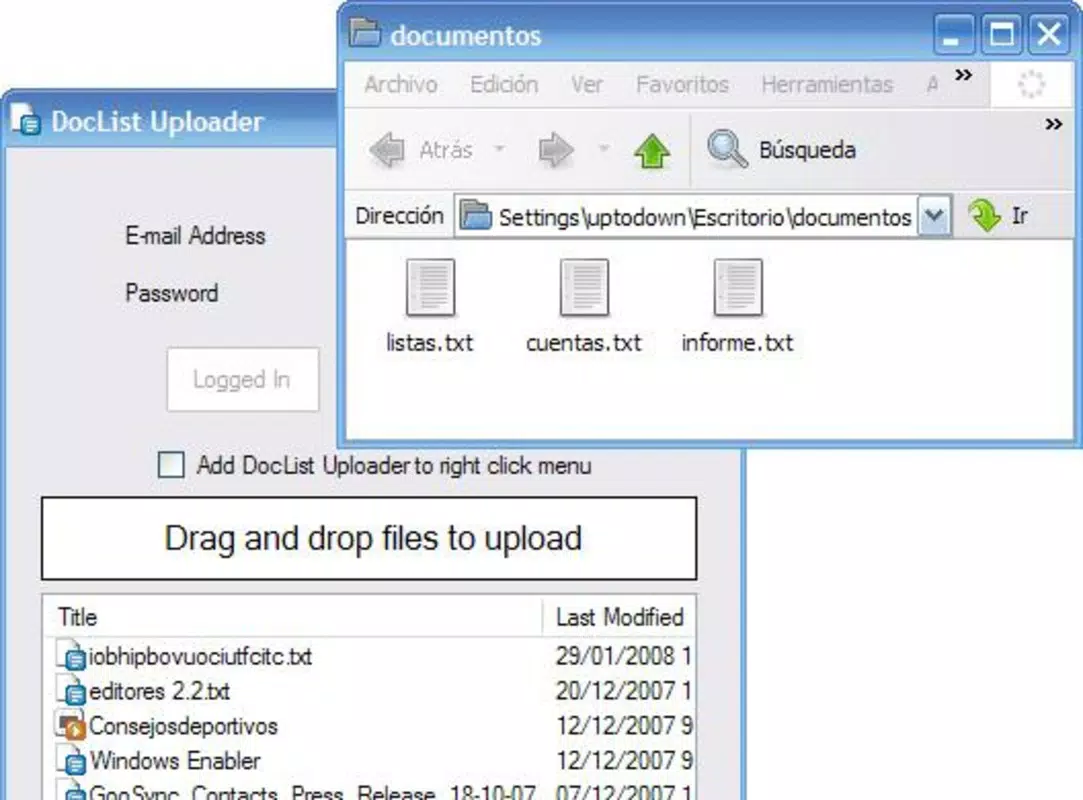
- Drag-and-Drop Uploads: Users can simply drag files from their desktop into the application window to initiate the upload process. This eliminates the need for complex navigation and speeds up file transfer, especially when handling multiple documents.
- Integrated Document Management: The application allows users to view, check, and delete uploaded documents directly from the interface. This feature supports quick cleanup of outdated files and helps maintain an organized document library.
- Intuitive User Interface: Designed with usability in mind, the interface is clean and accessible to users of all technical levels. Even those unfamiliar with cloud tools can operate the app without prior training or documentation.
- Seamless Google Drive Sync: Once uploaded, documents are automatically synchronized with the user’s Google Drive account. This ensures real-time access and consistency across devices, supporting remote work and team collaboration.
- Multi-Format Support: The tool supports a wide range of file types, including .doc, .docx, .pdf, .txt, and others. This versatility makes it suitable for academic, professional, and personal use cases where diverse content formats are common.
For example, a university student preparing a research paper can use the drag-and-drop feature to upload a Word document, instantly convert it to Google Docs format, and share it with peers for feedback. Similarly, a small business owner can manage client contracts by uploading PDFs and deleting outdated versions without leaving their desktop environment. These practical applications highlight the tool’s value in real-world workflows.
Interface, UX & Performance
The application features a minimalistic, functional interface that prioritizes ease of use. The layout is uncluttered, with clearly labeled buttons and a straightforward file list display. Navigation is intuitive, allowing users to perform actions such as upload, view, and delete with just a few clicks. The design avoids unnecessary complexity, making it accessible to non-technical users while still offering essential functionality.
Although the developer did not list formal performance metrics, the app is reported to operate smoothly on standard desktop systems. It responds quickly to user inputs, with minimal lag during file transfers. The application maintains stability during extended use, with no known crashes or freezes reported in available documentation. Responsiveness is consistent across different screen resolutions and window sizes, ensuring a reliable experience on both laptops and desktop monitors.
Performance may vary depending on internet speed and file size, but the tool does not appear to impose significant system resource demands. It runs efficiently in the background without slowing down other applications. The lack of visual effects or animations contributes to its lightweight nature and fast operation. Users can expect a consistent experience across various device categories, from entry-level machines to high-end workstations.
Platform Compatibility & Technical Requirements
Google Docs Uploader is designed for desktop environments, specifically targeting Windows operating systems. The application is compatible with modern versions of Windows, although the developer did not specify exact OS requirements. It is available as a downloadable executable file with a file size of approximately 2.5 MB, indicating a lightweight installation.
Compatibility information was not fully disclosed, so users should ensure their system meets general desktop requirements for running desktop applications. The app does not appear to require additional software or runtime environments, suggesting it is self-contained. No specific hardware specifications were provided, but its small size suggests low memory and CPU usage.
Users should verify that their system allows installation from external sources, as some antivirus software may flag the app due to its direct interaction with cloud services. The lack of official app store distribution means users must download the file directly from the developer’s website or trusted sources.
Pros and Cons
- Simple drag-and-drop upload functionality
- Direct integration with Google Drive and Google Docs
- Supports multiple file formats
- Minimal system resource usage
- Intuitive interface suitable for all users
- Efficient document management with delete and check options
- Not available on mobile platforms
- Limited documentation provided by the developer
- May require manual updates for new Google Drive features
- No built-in version history or file recovery
- Installation from external sources may raise security concerns
FAQ
Is Google Docs Uploader safe to install?
Yes, the application is generally safe when downloaded from official or trusted sources. However, users should ensure their antivirus software allows the installation, as some security tools may flag desktop utilities that interact with cloud services.
Can I use Google Docs Uploader on my Mac?
The developer did not specify Mac compatibility. The tool is primarily designed for Windows, and there is no official version available for macOS at this time.
Does the app support automatic updates?
Specific update mechanisms were not disclosed. Users may need to manually check for new versions on the developer’s website.
What file types can I upload?
The application supports common document formats such as .doc, .docx, .pdf, and .txt. It is designed to handle standard office and text-based files.
Do I need a Google account to use this tool?
Yes, a Google account is required to access Google Drive and Google Docs. The application uses your Google credentials to authenticate and sync files.
Final Thoughts
Google Docs Uploader stands out as a reliable, no-frills utility for users who frequently transfer documents to Google Drive. Its straightforward interface, support for multiple formats, and seamless integration make it a valuable tool for enhancing productivity. While it lacks advanced features like version control or mobile access, its core functionality remains effective and efficient.
Professionals, students, and remote workers who prioritize quick, direct file uploads will find the app indispensable. It reduces the friction between local files and cloud storage, saving time and improving workflow consistency. Despite its age, the tool continues to deliver on its promise with minimal overhead and maximum usability.
Download Google Docs Uploader now


